
Happy Wheels Beginner Guide: Your First Session
A Happy Wheels beginner guide: the official controls, why holding accelerate gets you killed, how limbs and death work, and how to find levels you can finish.

Happy Wheels is a 2D side-scrolling physics obstacle game. You pick a character and the vehicle bolted to it, then try to get from the start of a level to the end while spikes, mines, wrecking balls and harpoons try to stop you. The trap that catches new players is not slow reflexes. It is treating this like a normal side-scroller: holding accelerate forever and reading the arrow keys as left and right movement, right up until your own centre of gravity throws you off. The official control scheme is up to accelerate, down to brake and reverse, left/right to lean, Space for your main action, Shift and Ctrl for other actions, and Z to eject.
Separate “throttle” from “weight shift”
The habit worth breaking first is holding the up arrow down. It really is the accelerator, but your vehicle is a rigid body in a physics simulation, so the faster you are going the more torque a change in slope applies to you. What actually decides whether you clear an obstacle is left and right: they tilt the character and vehicle, which is how you push your weight back over the wheels.
| Key | Official name | What it is actually for |
|---|---|---|
| Up | forward | Tap it on flat ground to keep speed; let go before a climb and reapply |
| Down | reverse | Use it to brake on descents, it holds better than leaning back |
| Left / Right | lean | Level the bike out, adjust your landing angle in mid-air |
| Space | main action | Different per character: jump, brake, fire, charge |
| Shift / Ctrl | other actions | Posture, steering, rotation, dropping passengers |
| Z | eject | Get off the vehicle when you are stuck or need to crawl |

Official control diagram, from the Happy Wheels page on totaljerkface.com
Losing an arm is not losing the level
Plenty of new players see the blood and assume the run is over. It is not. A character who has lost arms or legs is still controllable, just built differently; the run actually ends when the head or the torso is crushed or severed. That also explains how the developer could turn “the child cannot be hurt” into a separate switch on iOS (see the Irresponsible Dad page). Bleeding and failure are two different systems in this game.
So when you lose a limb, the right reaction is to keep going or press Z and crawl, not to restart immediately.
What to actually do in your first session
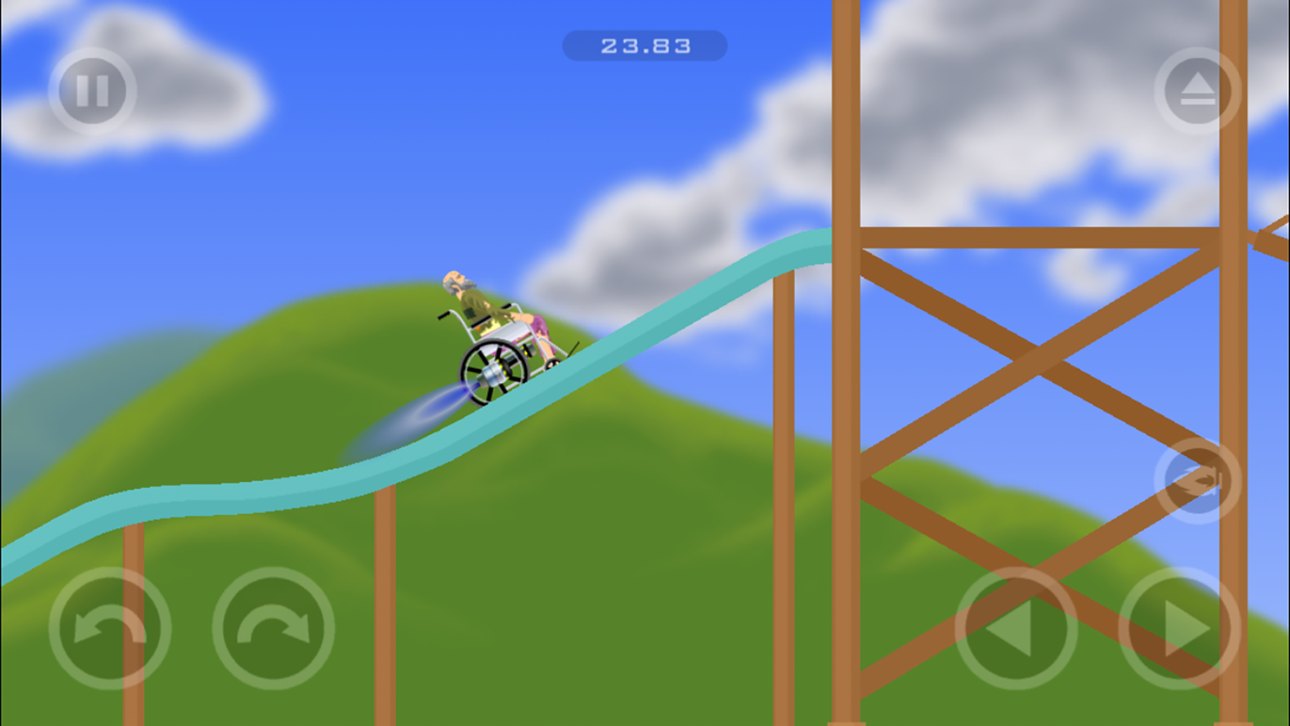
- Start with a character whose vehicle is simple. Of the five characters the official stores name, solo riders that can drive themselves, like Wheelchair Guy (jet-powered wheelchair) and Business Guy (personal transporter), are easier than a two-body rig like Irresponsible Dad’s bicycle with a kid on the back. Characters and vehicles are paired, so switching character switches the whole handling model. See the character list and the vehicles page.
- Start on easy user levels, not the featured ones. The browser Level Browser sorts by highest rated or most played. Steam promises the same thing in its own words, an “interactive Level Browser” that sorts and ranks new user submissions daily.
- Walk each level at low speed first. The goal is not to finish, it is to learn where the danger is. The four the official stores keep naming are spikes, mines, wrecking balls and harpoons.
- Slow down for climbs, tap the brake on descents, level out before you land. Those three habits cover most of the “why did I fly off for no reason” moments.
Why people say the complete version is only on the official site
That is not marketing, it is the wording on the official about page: “The full version of the game Happy Wheels can only be played at Totaljerkface.com”. Anything you can open and play on another site usually has no level editor and no library of 5 million+ user levels. There is more on how to tell them apart in Is it still playable? and Where to play.
When you get stuck, check these first
- Holding accelerate the whole time: let go, brake with down, then look at the level again.
- Landing on your head: lift the upper body with left/right before you touch down.
- Wedged in a trap: press Z, get off, and crawl out with the arrow keys plus Shift/Ctrl.
- One level you simply cannot beat: switch to a vehicle that jumps and restart. Much cheaper than grinding the same input.
If you want to build your own levels, that workflow is in the level editor guide. To check what each version actually is, read the release timeline.
Related Articles
characters
Happy Wheels Vehicles: Five Official Rides and Why They Fight You
The Happy Wheels vehicles official sources confirm, which character each belongs to, why they are so hard to control, and how to handle each one.
guide
Happy Wheels Level Editor: Build, Publish and Fix It
How the Happy Wheels level editor works: which platforms have it, what you can place, how to publish a level, and what to check when it will not show up.