
Happy Wheels Vehicles: Five Official Rides and Why They Fight You
The Happy Wheels vehicles official sources confirm, which character each belongs to, why they are so hard to control, and how to handle each one.
In Happy Wheels the vehicle is not a cosmetic skin, it is part of the character. Steam states it plainly in the feature list: “Multiple playable characters, each with unique vehicles and underwhelming abilities”. So the question “is this character hard” is really the question “what is this vehicle built like”.
The five vehicles official sources confirm
| Vehicle | Character | Where it is confirmed | How it moves, and what fights you |
|---|---|---|---|
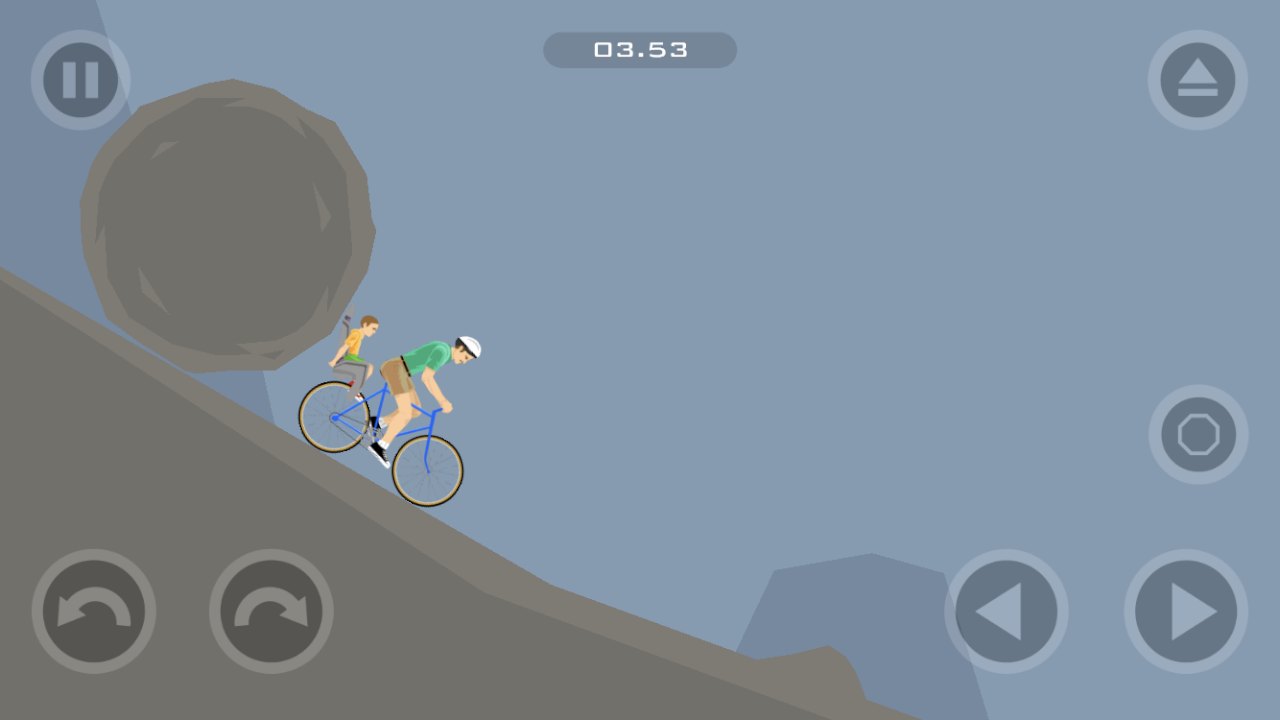
| Bicycle with a child on the back | Irresponsible Dad and his son | App Store, Google Play | Two bodies on one rig, so a crash takes the child too; weight sits far back, so climbs lift the front wheel |
| Jet-powered wheelchair | Wheelchair Guy | App Store, Google Play | The jet accelerates you and can rotate your posture, so you have to aim the thrust ahead of time |
| Electric cart | Effective Shopper | App Store (electric motor cart), Google Play (electric shopping cart) | Low and slow, which makes it the steadiest ride, but it snags on ledges |
| Personal transporter | Business Guy | App Store, Google Play | It can jump, which clears small obstacles; you stand tall, so a bad landing tips you over |
| Pogo stick | Pogo Stick Guy | App Store description only | You move by charging a bounce, so it is all rhythm and very hard to fine-tune |
The community wiki counts 11 vehicles plus two unreleased ones (Akira Bike and a Tuk-Tuk). Those have no official store source, so treat them as community record. The full character list is on the characters page.
Why the vehicles are so hard to control
Because the whole game sits on a physics simulation. The developer calls it “physics-based”, and one line from the 2020 official news post shows how seriously they treat that: the team porting the game to JavaScript “even managed to make a custom port of box2d just to maintain all the quirks of the original game”. They rebuilt the physics engine rather than let the handling change.
In a system like that, your vehicle is a rigid body with mass, and three things decide the outcome: speed, centre of gravity, and contact patch. More speed means more torque tipping you over when the slope changes. A higher centre of gravity means a landing flips you. A smaller contact patch, as on the bicycle or the pogo stick, makes every bump in the terrain count. On screen it looks like flying off for no reason. Physically it is inertia and torque doing exactly what they should.
Adjusting your handling per vehicle
- Get off the throttle before a climb. Arriving with speed lifts the front wheel. Tap the brake first, then add power gently.
- Brake with down, not with lean. Down is the official brake and reverse, and it acts on the drivetrain. Leaning back only shifts your body and will not slow you.
- Set your posture before you land. Use left/right to bring the front end level, and never touch down head first.
- When you are wedged, press Z. Get off and crawl through with the arrow keys plus Shift/Ctrl. Cheaper than grinding.
- When a level beats you, change vehicle. Since vehicle and character are locked together, switching character is switching the entire physics setup, and it is the single highest-value move you can make.
First-session handling advice is in the beginner guide. For the history of one specific character, see the Irresponsible Dad page.
Related Articles
characters
Happy Wheels Characters: The Five Official Names and the Rest
Happy Wheels characters: the five names official stores confirm, what the in-game select screen shows, and how to treat community-only names and counts.
characters
Happy Wheels Irresponsible Dad: Why the Child Cannot Be Hurt on iOS
Who Irresponsible Dad is, what the official iOS 1.0.6 update says about injuring his child, and what that change means for gameplay and platforms.
guide
Happy Wheels Beginner Guide: Your First Session
A Happy Wheels beginner guide: the official controls, why holding accelerate gets you killed, how limbs and death work, and how to find levels you can finish.